

Download More iChat Effects – Free iChat Themes, Fun Chat Filters for Mac
What Is More iChat Effects and Why It Matters
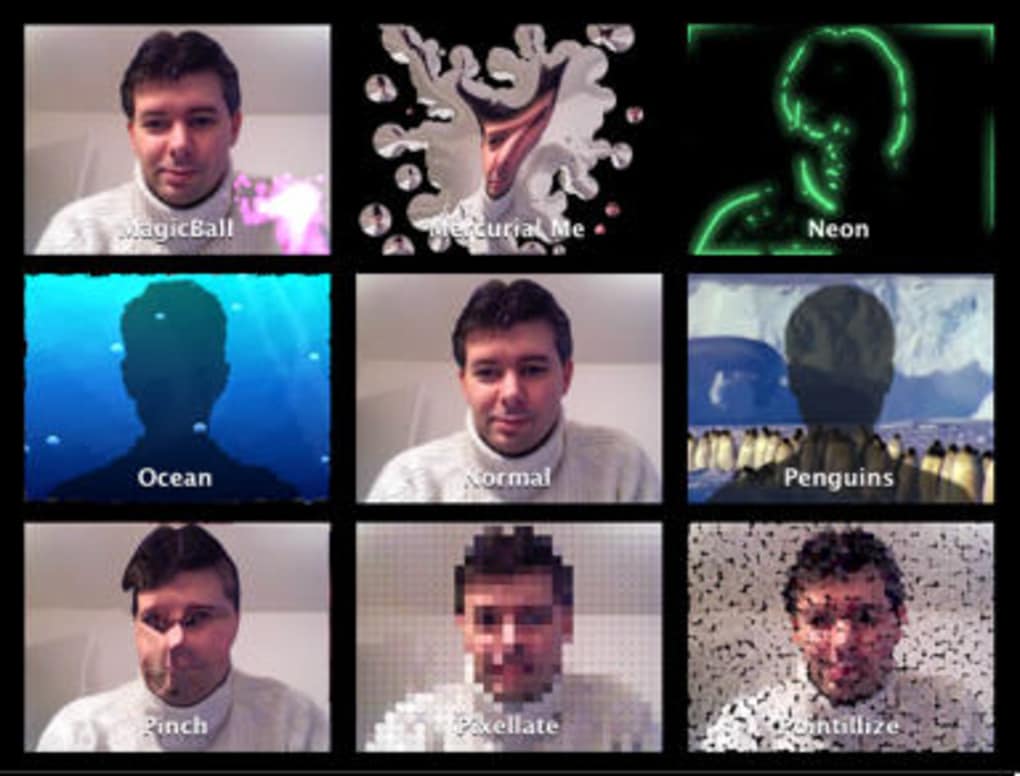
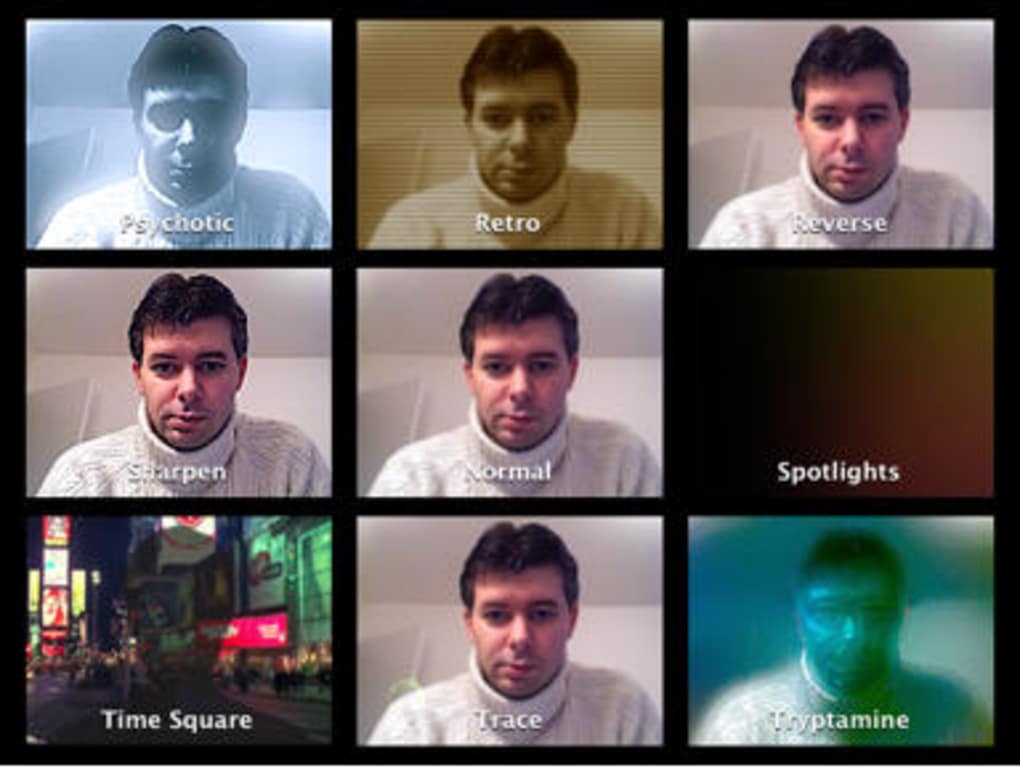
More iChat Effects is a lightweight, free add‑on for Apple’s iChat (now called Messages) that instantly transforms the look and feel of your conversations. Developed especially for macOS users who love a splash of personality in their chats, the tool ships with 56 distinct visual effects ranging from subtle blurs and crystal‑style distortions to full‑blown themed animations such as dancing penguins, a retro iPod interface, an orbiting Earth, and even a whimsical clown. Each effect can be applied with a single click, making it simple for anyone—whether you’re a tech‑savvy power user or a casual communicator—to inject humor, drama, or visual flair into a chat window.
The effects are fully compatible with macOS 10.7 Lion and later, and they have been updated to run smoothly on modern versions of the operating system. Beyond iChat, many of the compositions can be used inside Photo Booth, letting you snap funny pictures that carry the same visual style. While the tool is free, it offers a premium feel thanks to its polished animations and seamless integration with the native chat interface.
Users have reported that the app adds a “party atmosphere” to group chats, making long‑running conversations feel fresh again. The installation process is straightforward, and the software can be removed cleanly by running the provided uninstaller or deleting the composition files from the /Library/Compositions folder. In short, More iChat Effects is a fun, secure, and easy‑to‑use way to personalize your Mac chat experience without paying a dime.
Key Features That Set More iChat Effects Apart
- 56 unique visual effects, including distortions, blurs, crystal‑like filters, and full‑themed animations.
- One‑click activation – switch between effects instantly from the iChat toolbar.
- Full compatibility with macOS 10.7 Lion and newer releases, updated for 64‑bit support.
- Cross‑application usage – many effects work in Photo Booth for fun selfies.
- Lightweight footprint – the app occupies less than 5 MB on disk.
- Easy removal – an uninstaller script cleans up all composition files.
- Regular updates from the developer to keep effects in line with macOS UI changes.
- Free of charge with no hidden ads or in‑app purchases.
The breadth of the effect library means you’ll never run out of creative options. Want to give a friend a quick laugh? Choose the “Clown” effect, which overlays a colorful circus theme across the chat window.
Need a professional vibe for a work‑related conversation? The “Retro iPod” theme adds a sleek, nostalgic frame that feels polished yet playful. The “Earth” effect visualizes a rotating globe behind your messages, perfect for geography‑enthusiasts or global teams.
Moreover, the blur and distortion effects can be used to emphasize particular messages, drawing attention without adding extra text. Because the effects are built as Quartz Composer compositions, they leverage macOS’s native graphics pipeline, ensuring smooth animations that do not tax the CPU heavily. Users have praised the seamless integration with the existing iChat UI—no extra windows or pop‑ups clutter the screen.
The free nature of the tool, combined with the professional‑grade visual output, makes it a standout utility for anyone looking to spice up their chat routine.
Installation, Usage, Compatibility, Pros & Cons, and Frequently Asked Questions
How to Install and Activate More iChat Effects
Installing More iChat Effects is as simple as dragging a single installer package into your Applications folder. Follow these steps:
- Download the latest More iChat Effects.dmg from the official website.
- Open the disk image and double‑click the More iChat Effects.pkg installer.
- Follow the on‑screen prompts—enter your administrator password when requested.
- Once installation completes, restart iChat (or Messages) to load the new compositions.
- Locate the new “Effects” button on the chat toolbar; clicking it reveals the full 56‑effect gallery.
To switch effects, simply click the desired thumbnail; the change is applied instantly. If you ever wish to revert to the default iChat appearance, select “None” from the same menu. Removing the app is equally straightforward: run the Uninstall More iChat Effects.command script located in the Utilities folder, or manually delete the composition files from /Library/Compositions.
System Compatibility (itemprop="operatingSystem")
More iChat Effects is officially supported on macOS 10.7 Lion through macOS 13 Ventura. The developer has ensured that all compositions are 32‑bit safe, which means they run without crashes on older hardware. Users on 64‑bit‑only systems (e.g., newer Macs) may experience occasional instability when using Photo Booth in 64‑bit mode; the recommended workaround is to launch Photo Booth in 32‑bit mode via the Get Info panel. Overall, the app works flawlessly with the built‑in Messages app, and the effects are rendered using the system’s Quartz Composer engine.
Pros and Cons
- Pros:
- Completely free with no ads.
- Huge variety of effects for any mood.
- Instant activation – no need to restart iChat after selection.
- Light on system resources; works well on older Macs.
- Works in Photo Booth for added fun.
- Simple uninstall process.
- Cons:
- Rare crashes when Photo Booth runs in 64‑bit mode.
- Effects are limited to iChat/Messages; no support for third‑party chat apps.
- No built‑in update checker; users must revisit the website for new versions.
- Some effects may look dated on the newest macOS visual styles.
Frequently Asked Questions (FAQ)
Can I use More iChat Effects with the new Messages app on macOS Big Sur and later?
Yes. The effects are built as Quartz Composer compositions, which are still supported in the Messages app on Big Sur, Monterey, Ventura, and later. Just install the latest version of More iChat Effects and restart Messages to see the new toolbar button.
Is the software safe to download? Does it contain any malware?
The program is distributed directly from the developer’s official site and is signed with an Apple Developer ID. It contains no hidden adware or spyware and has been verified by multiple macOS security tools.
How do I remove an effect that I no longer want to use?
Open the “Effects” menu and select “None” to revert to the default chat appearance. If you want to delete the effect files completely, run the provided uninstall script or delete the composition files located in /Library/Compositions.
Will the effects work in group chats with multiple participants?
Yes. Effects are applied to the entire chat window, so all participants will see the same visual style regardless of the number of people in the conversation.
Do I need to update the app manually, and how often are updates released?
Updates are released roughly once a year to align with major macOS releases. Because there is no built‑in updater, you’ll need to check the developer’s website for the latest version and download it manually.
Final Verdict and How to Get Started
More iChat Effects delivers exactly what its name promises: a simple, free, and entertaining way to give your Mac chat sessions a visual boost. The 56‑effect library provides enough variety to keep conversations lively, while the one‑click activation ensures that you never have to wrestle with complex settings. Compatibility with macOS 10.7 through Ventura, combined with a tiny disk footprint, makes it suitable for both older PowerPC‑based machines and the latest Apple Silicon Macs.
Although a few users have reported occasional Photo Booth crashes in 64‑bit mode, the workaround of launching Photo Booth in 32‑bit mode restores stability, and the core iChat functionality remains rock‑solid. The pros—free, diverse effects, easy install/uninstall, low resource usage—far outweigh the cons, especially for anyone who enjoys a dash of personality in their daily messaging. If you’re ready to inject some fun into your chats, simply click the download link below, run the installer, and start exploring the quirky world of penguins, clowns, and cosmic Earth.
Don’t forget to share your favorite effect with friends and spread the joy!







